
Curio — Changelog
Updates to Curio, your website's hungry little helper. 
Questions? Reach us through the widget on getcurio.chat.
Latest updates
September 20261 update
September 3, 2026
✨ New
- Hugo knows your prices and stock. On stores that publish product data (WooCommerce, Shopify, and most modern carts), Hugo now reads each product's price, availability, and SKU and answers "do you have X? / how much is it? / is it in stock?" with the real numbers -- with a citation to the product page. Because it rides your daily auto-refresh, those answers stay current the moment a price or stock level changes. Nothing to configure -- it just gets smarter on your next crawl.
- Send captured leads straight to Salesforce. New Salesforce card in your Integrations: turn on Web-to-Lead in Salesforce (Setup → Web-to-Lead), paste your Org ID into Curio, and every email Hugo captures from a visitor becomes a Salesforce Lead automatically -- no OAuth, nothing to install. (Richer OAuth sync for Contacts and Cases is on the way.)
- Your assistant stays fresh on its own. Hugo now re-checks each connected site every day and re-reads only the pages that actually changed -- so answers never drift out of date, and you never have to remember to re-crawl. It's frugal about it: on WordPress it updates the moment you hit publish; other sites are checked against their sitemap timestamps, so pages that haven't changed are skipped entirely and only genuinely new content is re-indexed. On by default, nothing to set up. (Prefer manual? ReCurio still refreshes any source on demand.)
- Never lose a visitor when no one's around. When Hugo can't fully answer -- or a visitor asks for a person -- and nobody on your team is online, the widget now offers to take their email so you can follow up. It arrives in your inbox with a one-click reply, and (Pro) streams to your collector and integrations too. No more dead ends when you're away from the dashboard.
August 20261 update
August 24, 2026
✨ New
- Answer logged-in visitors from your gated docs. New Secure mode (per site, Pro) lets Hugo answer signed-in visitors from your Internal sources — the docs you keep out of the public bot (customer-portal help, member-only guides, an internal handbook). Your site signs a short-lived token for the logged-in user; Curio verifies it and only then draws on gated content. Anonymous visitors never see it — the signature is the gate, not the domain. Turn it on per site in the portal's Secure mode card, mark the sources you want gated as Internal, and drop the one-line token snippet into your backend.
July 20261 update
July 2, 2026
💅 Improved
- More room to try Curio. The free trial now includes 5 free conversations a day (up from 1) for the full 30 days — enough to wire up your install, test both tabs, and see it answering real questions before you ever touch prepaid credits. Every question inside a free conversation, follow-ups included, stays $0.
✨ New
- Hugo greets your visitors by name. On their first visit, Hugo asks for a first name — nicely, once, and only if they want to share it ("Or just ask your question!" skips it). From then on they're welcomed back personally, Hugo uses their name in answers where it fits, and your Live view shows Sam: instead of Visitor:. The name stays in their browser, never in a database.
- Build your support team. A new Agents card lets you add teammates by email — they sign in with the same passwordless magic link and can watch Live view, take over chats, and receive hand-offs. You'll see who's online at a glance.
- Hand a chat to a specific person. Hand off now offers your online teammates by name: pick one and the chat lands directly with them — their dashboard chimes, opens Live view, and pulls in the conversation so far. "Any agent" still broadcasts to the whole team.
- Agents get the conversation, not just the chat. Taking over or receiving a hand-off now automatically loads what was already said (replayed live from the visitor's browser — still never stored), so nobody walks in blind. There's a ⟲ History button on every live conversation too.
💅 Improved
- You can't miss a waiting visitor. When someone asks for a human, the Go live button turns amber with a live count ("2 waiting") until the chats are handled — plus a soft chime and a flashing tab title. Much sturdier than pop-up notices.
- Ended chats are ended everywhere. When a visitor ends a chat, their window says so plainly — and any agent handling it sees "Visitor ended the chat" instantly, so nobody types into the void. A new message afterwards starts a clean, fresh conversation.
- "Customer service please" now gets the right answer. A visitor who just asks for a person gets an instant, honest "An agent has been notified. Please stand by." — and you get pinged (or emailed, if nobody's watching, with a link that opens Live view ready to go).
Older releases
June 20267 updates
June 30, 2026
✨ New
- Watch your assistant work — live. A new Live view card in your dashboard streams conversations to you in real time while you watch. It's true to our privacy promise: chats stream over a socket only while you're watching, nothing is ever stored, and the feed disappears when you leave the page. Great for launch days, campaigns, or just seeing what visitors really ask.
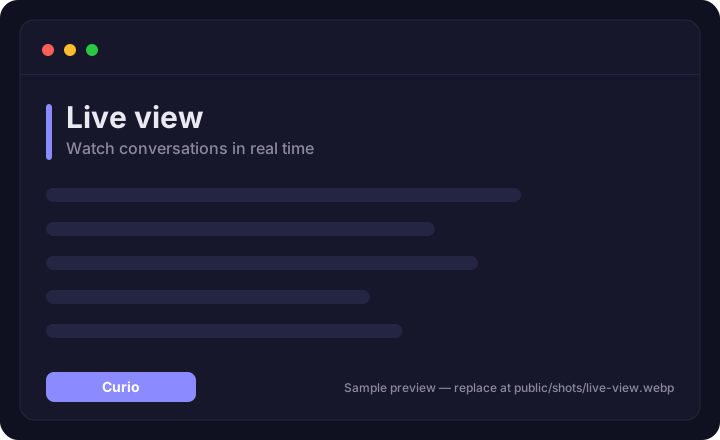
- Step in as a human, any time. Click Take over on any live conversation and your replies go straight into the visitor's chat — marked as coming from a real person — then hand back to Hugo when you're done. And when a visitor asks for "an operator" or "customer service", Hugo lets them know the team's been pinged: you're alerted instantly in Live view (with a toast and a soft chime), or by email if you're not watching. Human replies are never billed.
- Built for teams. Several agents can watch the same Live view: taking over claims the chat for you alone — teammates see "Claimed by …" and that conversation's messages go only to you, so two people never answer the same visitor. Need to pass it on? Hand off keeps the chat human-held and pings the other agents until one claims it.
June 26, 2026
✨ New
- Visitors can rate answers — and you'll see how you're doing. Every answer now shows a quiet 👍/👎. Ratings are anonymous — just the thumbs, never the message — and they roll up into a satisfaction score on your Analytics card (with 👍/👎 counts), so you can see at a glance how well Hugo is landing and watch it improve as you fill content gaps.
- **A 👎 can tell you why. Thumbs-down now opens an optional "what was missing or wrong?" note. It's de-identified on the way in (emails and numbers stripped) and shows up in a new "What visitors flagged" list on your Analytics card — turning a downvote into a concrete fix. Your dashboard also now plots a satisfaction trend** so you can watch quality move day to day.
💅 Improved
- This page got a refresh. Updates are now grouped by month — the latest front and center, older releases tucked away one click down — and the headline features show a screenshot you can click to enlarge.
June 25, 2026
✨ New
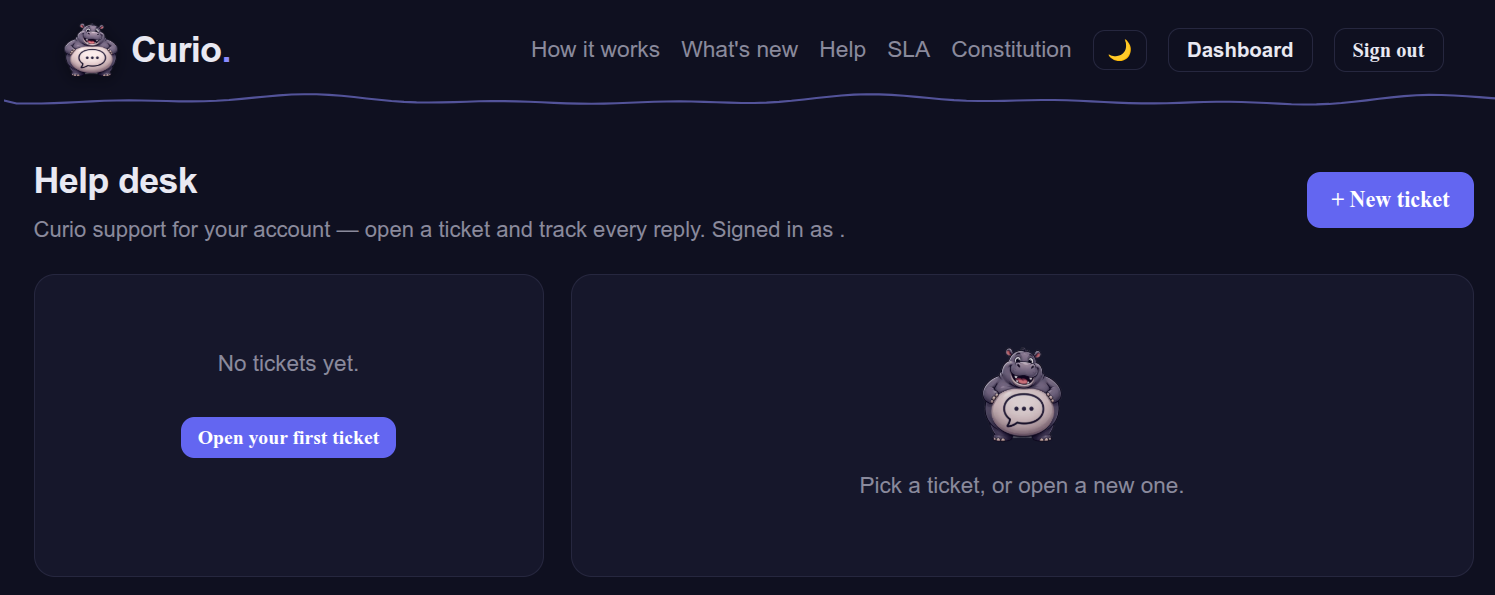
- A real help desk, at /helpdesk. Sign in with a one-time email link, open a support ticket, and track it from start to finish — every ticket gets a number, a live status (awaiting support → reply needed → resolved), and a threaded back-and-forth. You get an email confirmation when you open a ticket and again on every reply, and you can answer right from the desk. No password to remember.
June 18, 2026
✨ New
- Hugo handles troublemakers with grace. If someone tries to trick your assistant into revealing its settings or acting out of character, instead of a blunt error it now gives a friendly, on-brand redirect — "Nice try, but that's outside my river!" — and points them to your team.
- A clearer "Your instructions" field. A new help popup explains the 4,000-character limit and how to get the best results (keep rules tight; put facts in your Knowledge sources), with a live character counter.
💅 Improved
- Faster page loads. We slimmed our imagery down by ~96% for a snappier first paint.
🔒 Security & privacy
- Your assistant won't describe its own plumbing. Questions about privacy or data handling are answered only from your published policy — never by the assistant improvising about how it's built or where data goes.
- House rules & corrections can't override safety. Attempts to slip in instructions that disable protections or extract the setup are now rejected when you save them.
- Abuse blocks are per-customer. If a bad actor trips the prompt-injection guard on one site, it no longer affects anyone else's visitors — and any false positive can be released in one click.
June 15, 2026
✨ New
- Hugo speaks — and listens. Accessibility, built in: visitors can have answers read aloud (🔊 in the header) and ask questions by voice (🎤 by the input), using the browser's own speech — no plugins. The chat is screen-reader friendly too.
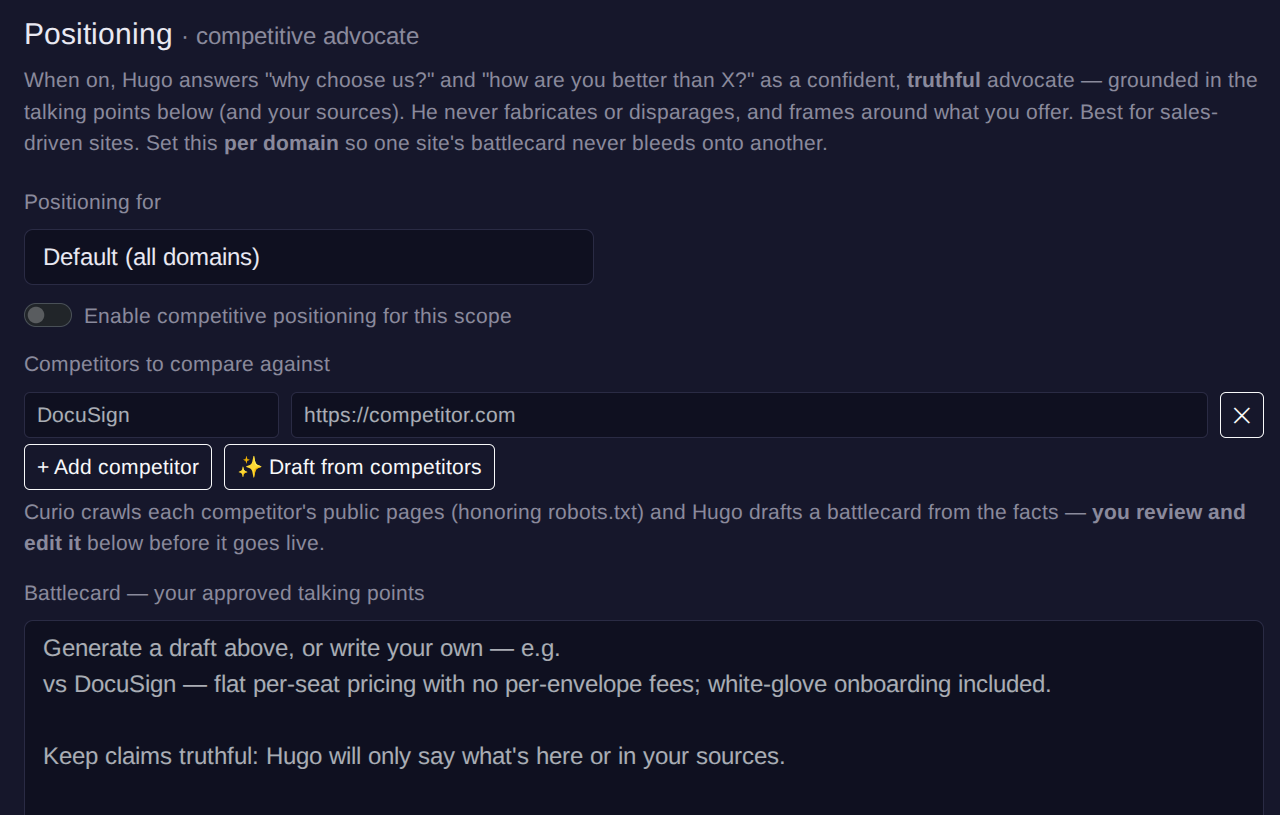
- Win the "why you vs. them?" question. New Positioning mode turns Hugo into a confident, truthful advocate for comparison questions — grounded in your own content, never invented. You can even draft talking points from a competitor's website and edit them before they go live.
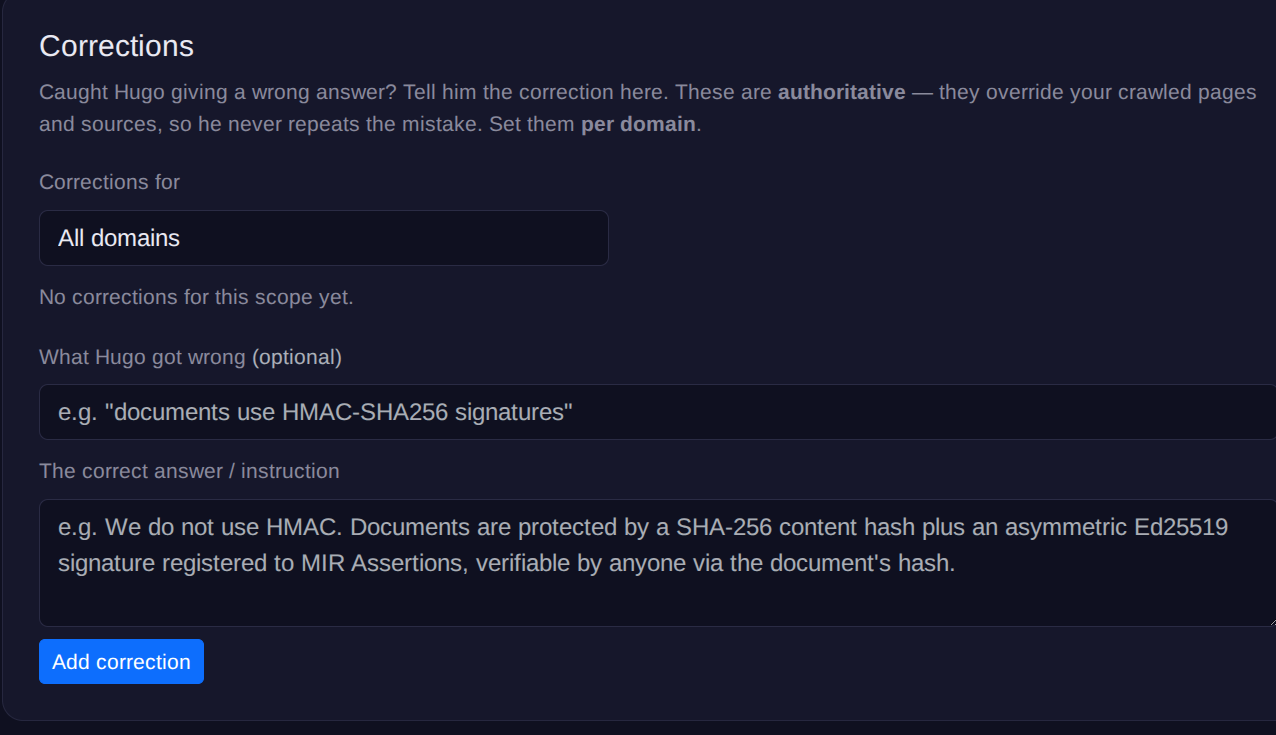
- Caught a wrong answer? Fix it in seconds. New Corrections: tell Hugo what he got wrong and what's right, and it takes precedence over your crawled pages immediately — no re-crawl. Ideal when a page's own wording is out of date.
- "Tell me about this site" just works. Generic questions like "what do you do?" now get a clean overview without the visitor having to name your business.
💅 Improved
- Make it truly yours. Branding now includes a gradient header and custom chat background & text colors — with a built-in guard that stops color combos which would hide your text. Apply branding to several domains at once.
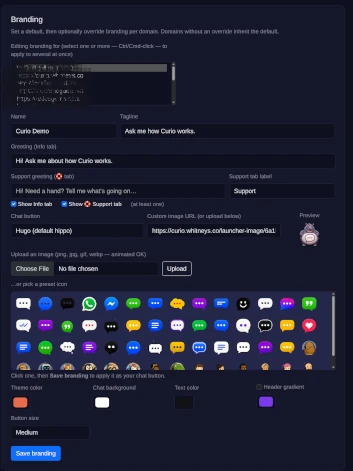
- Cleaner answers. Source links are gathered under each reply as Related pages instead of inline footnote numbers, and answers now scroll to the top so you read from the beginning. When Hugo mentions one of your sites (or a domain you've approved), it's a clickable link.
- A bigger chat window — taller on desktop, still fitting neatly on phones.
🔒 Security
- Prompt-layering protection. Visitors who try to impersonate the assistant or inject instructions are blocked automatically — with an operator console to release any false-positive in a click.
- Hugo can now explain what he can and can't do without the over-eager "I can't share that" refusal.
June 7, 2026
✨ New
- Service status, in your dashboard. A new Service status card shows your assistant's availability for the month at a glance — plus a published Service Level Agreement with our uptime commitment and service credits.
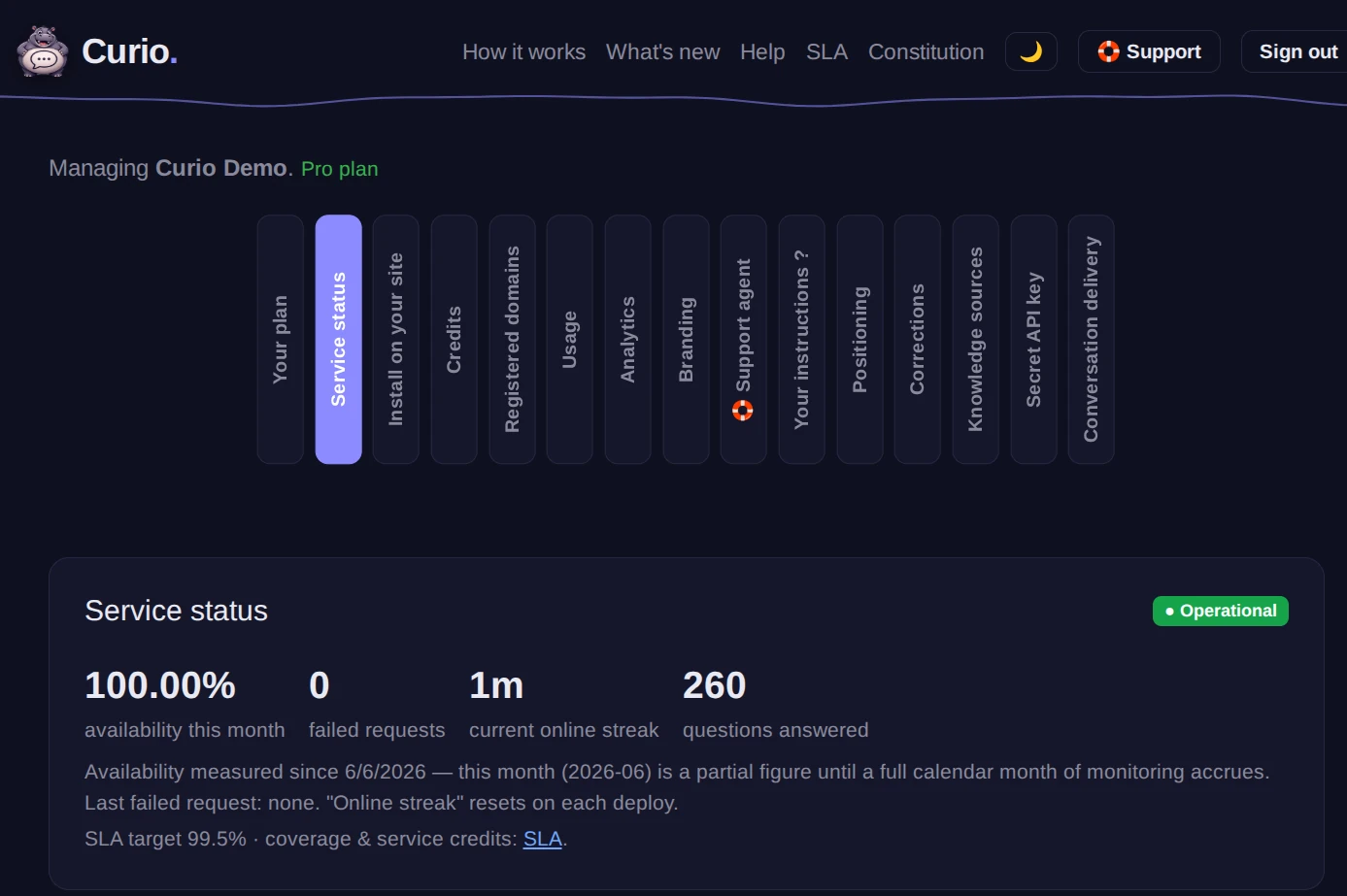
- Automatic downtime credits. If Curio ever has an outage, your account is credited automatically — proportional to your recent usage, applied to your balance, no need to ask. You'll see it on your Credits card.
- Transcripts to your whole team. The transcript-email field now accepts multiple, comma-separated addresses, so support and sales can both get a copy.
- Pick a launcher icon. Choose your chat button from a built-in icon gallery in the dashboard — or keep uploading your own image, or use Hugo.
💅 Improved
- Install code that works behind strict filters. The snippet now offers both
getcurio.chatand an alternate domain, so the widget still loads for visitors on corporate networks that block newly-registered domains.
🔁 Changed
- New free trial. Curio now starts with a 30-day free trial — one free conversation a day (every question in that conversation, including follow-ups, is free) across all your sites. After the trial, or once the day's free conversation is used, answers draw on prepaid credits at your plan's rate. Your Credits card shows conversations left today and days left in the trial.
June 6, 2026
✨ New
- A new home: getcurio.chat. Curio has its own domain now. Already running the widget from
curio.whitneys.co? It keeps working — nothing to change. - Unlimited domains, one assistant. Add as many sites as you want on any plan — each answers only from its own content, all on one account and balance.
- Your own instructions. A new Your instructions box in the dashboard lets you give the assistant house rules — tone of voice, things to always do, things to never say, how to handle pricing or escalations. They apply across both the Info and 🛟 Support tabs.
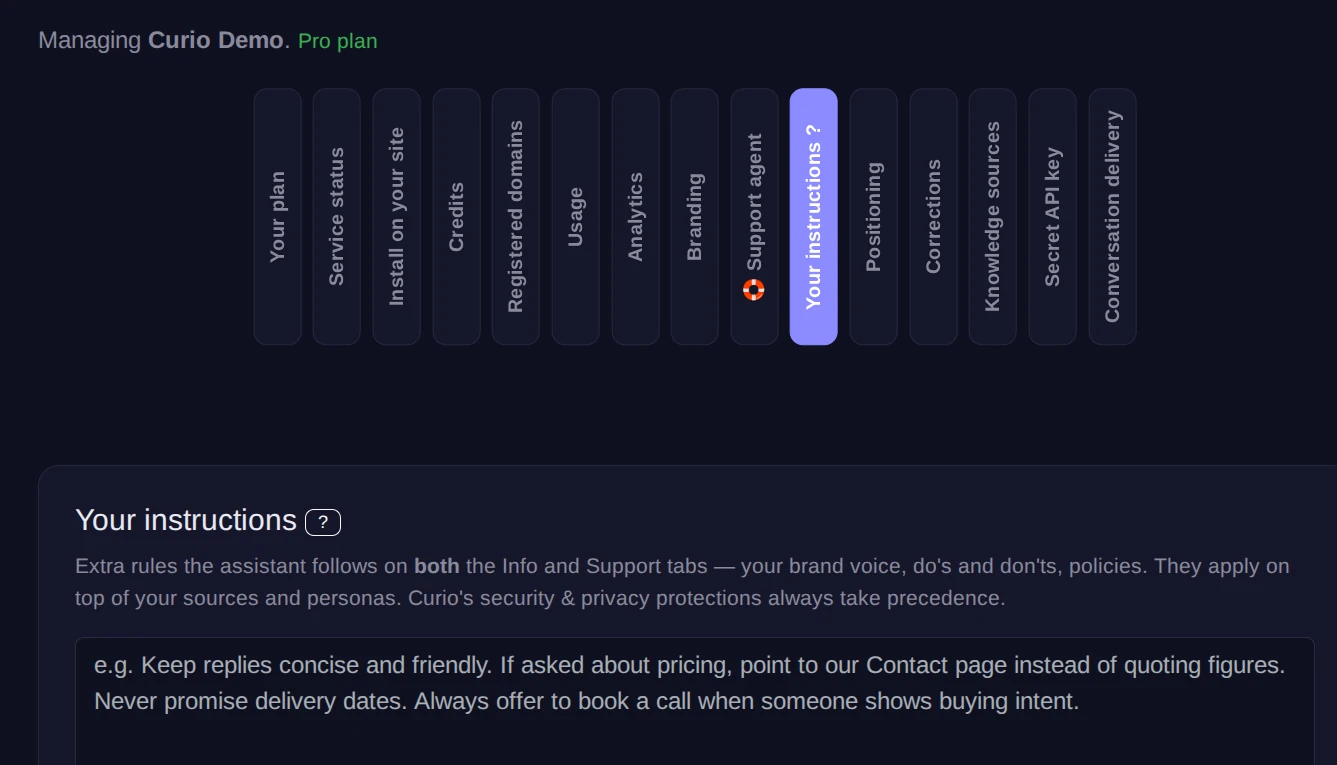
- Info & Support tabs. Every assistant now has two modes over one shared knowledge base: Info for topic questions and 🛟 Support for troubleshooting and step-by-step help. Turn either off if you only want one.
- Smart contact links. When a visitor asks how to get in touch, the assistant now points them straight to your Contact, Support, Help, or FAQ pages as clickable links.
- Conversation transcripts by email. Have a copy of each finished chat emailed to you — now including the page the visitor was on and their IP for context. As always, Curio never stores conversations; transcripts are relayed and forgotten.
💅 Improved
- More accurate citations. The "Related pages" list now shows only the pages an answer actually drew on — no more unrelated links.
- Jump to the exact section. Citations deep-link to the specific heading on your page, not just the top.
- Reliable everywhere. The widget now loads dependably on sites with strict security policies or custom script loaders.
- Your custom launcher, every time. Uploaded chat-button icons now display consistently across browsers.
- Graceful pause + a heads-up. If a bot ever runs through its free conversation and credits, it shows a friendly "back soon" message you can customize — and we email you to top up, so it never just sits there silently.
🐛 Fixed
- Transcript emails now send reliably from all of your verified domains (previously some setups silently didn't deliver).
- No more duplicate transcript emails after a single conversation.
- Fixed cases where a custom chat icon could fall back to the default Hugo.
🔒 Security & privacy
- Hardened across the board. We strengthened abuse protection, request validation, and login safeguards against common web attacks.
- Stronger sign-in. Magic-link logins are now tied to the browser and network that requested them — while still tolerating routine browser updates and mobile carrier IP changes, so legitimate logins keep working.
- Smaller, safer footprint. The dashboard is now a single hosted login (we retired the embeddable-iframe option), reducing complexity and attack surface.
- Reaffirmed: Curio answers only from your content, isolated per domain, and never stores conversations.
Curio starts with a 30-day free trial — five free conversations a day — then prepaid credits, no surprises. The widget stays keyless: one <script> tag, no API keys in your pages.